Shipping an app to the App Store has a tax nobody warns you about: the screenshots. Apple and Google want polished, marketing-grade images, at a fistful of exact resolutions, that actually sell the app. For a solo builder with no designer on call, that's a wall — and it sits right between you and the "Submit for Review" button.
I hit that wall on ScoreThis, my padel & pickleball tournament app, and again on another app I work on. Here's how I got over it — and, more interestingly, what I learned by refusing to leave it as a black box.
First, the reframe: screenshots are ads, not docs
The mistake I almost made was treating screenshots as proof the app exists — just dump a few raw UI captures and move on. But the best App Store listings don't do that. Each screenshot is an ad for one idea: a big headline, a device mockup, one benefit you can read in about a second while thumbing past it.
That reframe changes everything about how you build them. You're not exporting screens; you're composing slides.
Starting point: an open-source skill, not a blank file
I didn't start from scratch. I started from an open-source skill —
ParthJadhav/app-store-screenshots
— a generator you can drop into an AI coding agent. The idea is clever: instead
of a design tool, it scaffolds a small Next.js project where each screenshot
is a React component, and exports them as PNGs at every store resolution.
The stack is refreshingly boring:
| Piece | Job |
|---|---|
| Next.js | Dev server + serving the app screenshots |
| React + Tailwind | Compose each slide as a component |
html-to-image |
Turn a DOM node into a pixel-exact PNG |
| A CSS iPhone mockup | Frame the screenshot, no Photoshop |
You design every slide at the largest size once (1320×2868, Apple's 6.9" canvas), then export downscaled copies for the smaller displays. One source of truth, many sizes. That single decision removes most of the pain.
I ran it against ScoreThis, answered its questions about brand and features, and got a v1 in an afternoon. Genuinely impressive for the effort.
Then v1 broke in instructive ways
v1 looked fine in the browser and then betrayed me on export. Three problems, each of which taught me something:
1. Edge-clipping. Headlines that fit on screen got their last letters shaved off in the exported PNG. The cause: positions were hard-coded per slide in raw pixels, so they didn't hold up when the canvas scaled to a different export size.
2. Inconsistent geometry. Each slide had its own bespoke layout, which meant margins and safe areas drifted between slides — and one slide exported at a subtly different safe-area than the rest. Side by side, the set looked almost consistent, which is worse than obviously broken.
3. The font-embedding gotcha. This one's a proper trap. next/font loads
fonts beautifully for the live page — but html-to-image captures an offscreen
clone of the node, and that clone didn't always have the webfont applied. So the
preview showed my chosen typeface and the PNG quietly fell back to something
else. The fix is a "warm-up" render before capture so the font is guaranteed
loaded into the node being snapshotted.
None of these are things you learn by reading docs. You learn them by shipping a broken export, squinting at it, and asking why.
v2: stop positioning pixels, start describing layouts
Instead of patching v1, I redesigned the system around one principle: no raw
pixels, ever. Every measurement is a fraction of the slide width W, and the
height is always derived from it:
H = Math.round(W / CANVAS_W * CANVAS_H) // CANVAS_W = 1320, CANVAS_H = 2868
That guarantees every slide is dimensionally identical across all four export sizes — by construction, not by luck. The safe margin and headline max-width become constants applied inside shared components, so clipping is structurally impossible:
const SAFE_X = 0.08;          // nothing past 8% from the edge
        const HEADLINE_MAXW = 0.86;   // headline block caps at 86% of W
Then I broke the monolith into shared primitives — Slide (owns the frame),
Phone (the mockup, with hero / front / back variants), Caption,
AccentUnderline, BigStat, Chip. And crucially, each slide became data,
not code:
{ id: "speed", archetype: "BigStat", headline: "2 min to first serve", ... }
A handful of archetype renderers (Hero, BigStat, Callout, LimeFlip,
Duo) consume that data. Adding or reordering a slide is now an edit to a config
object, not a new bespoke component. The whole set went from "8 fragile snowflakes"
to "8 instances of 5 repeatable layouts."
A few design rules I baked in along the way, courtesy of the reframe above:
- No fake social proof. A brand-new app has no ratings — so no stars, no "loved by 1,000 clubs." Beyond being dishonest, invented review counts are an App Store rejection risk. Only day-one-true claims.
- Vary the rhythm. No two adjacent slides share the same phone placement; one slide flips to dark-on-lime purely to break the scroll.
- First slide does the heavy lifting. The store reveals ~2.5 slides before a swipe, so the hook, the speed stat, and multi-court carry the conversion.
The result
Here are three of the eight ScoreThis slides — a hero, a big-stat hook, and the "lime flip" rhythm-breaker. Same system, three different archetypes:
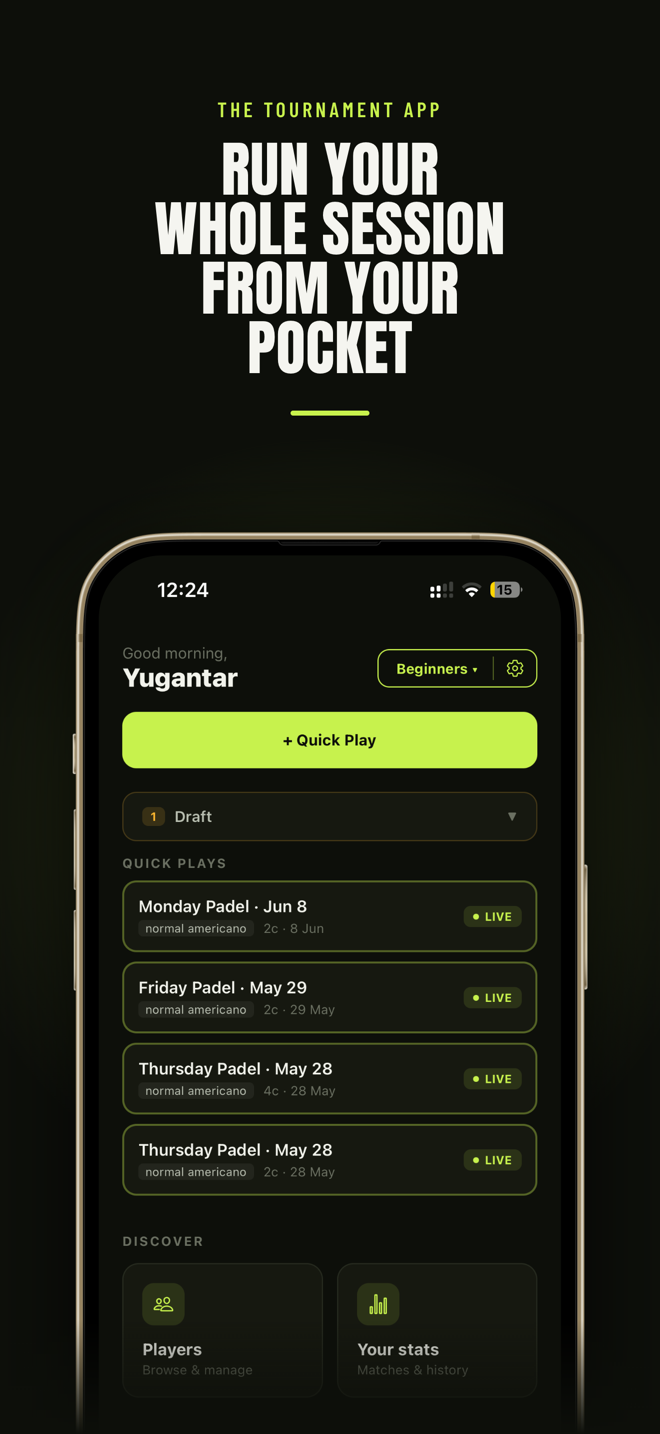
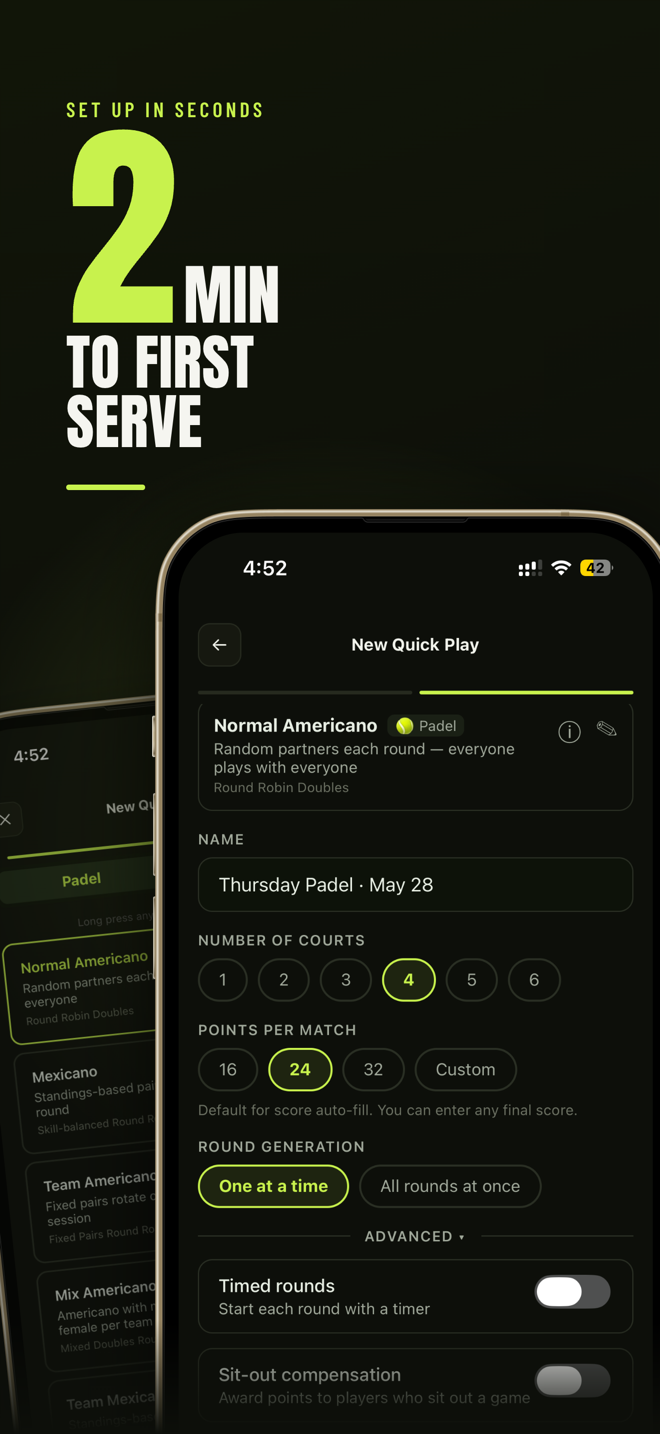
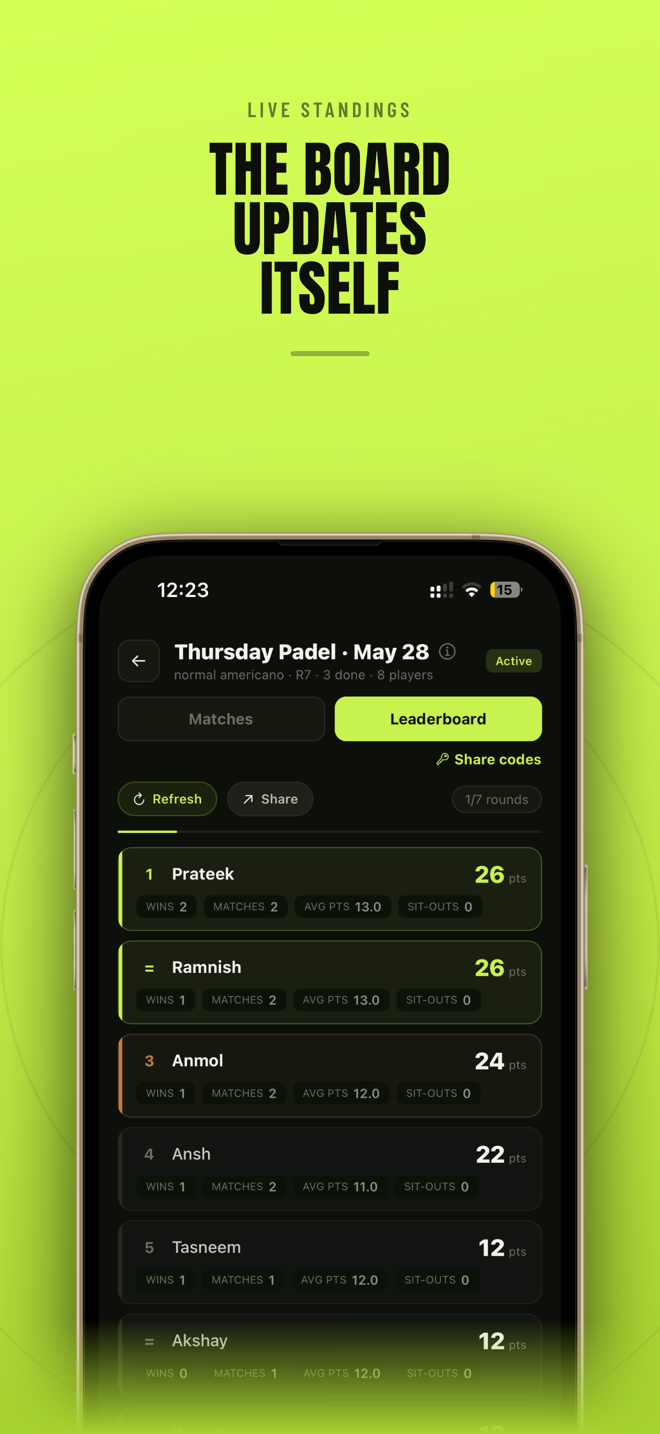
All of them export cleanly to every Apple size (and the set has Android/Play resolutions too). No designer, no Figma — just a Next.js project, a stylesheet, and a browser.
What I actually took away
The screenshots are almost beside the point. The real lesson was about how to use these AI skills well: they're a fantastic starting point, not a finished product. The skill got me to a working v1 in an afternoon — but the value showed up when I stopped treating it as magic, read the generator line by line, understood why the exports were breaking, and rebuilt the parts that didn't hold.
Use the skill to skip the blank page. Then learn enough to own what it gave you.
That loop — lean on a tool to get moving, then dig in until you genuinely understand it — is most of how I learn anything now. The screenshots were just this week's excuse to do it.